SIMBA adapts to your workflow.

Not the other way.

SIMBA supports scripting and automation, modeling inputs and code-level integration, co-simulation with external tools, browser access through SIMBA Online, and extensibility through Open API.

It fits into your existing infrastructure. On day one.

Integration paths

Workflow integrations across your toolchain

SIMBA supports multiple integration modes depending on how your team works. The cards below highlight some of the most common workflow paths, while additional integration options remain available across the wider toolchain.

⟨/⟩

Python module

Native programmatic access to SIMBA from scripts, notebooks, CI pipelines, and HPC jobs.

  • Native Python access to SIMBA for automation and scripting workflows
  • Automate parameter sweeps, regression runs, and reporting pipelines
  • Work directly in notebooks for interactive studies, analysis, and reporting
  • Call SIMBA from MATLAB through the Python bridge when needed
More info

JMAG and JMAG-RT

Connect detailed Finite Element Analysis models and fast FEA-based reduced models inside the same workflow.

  • JMAG Direct Coupling enables co-simulation between SIMBA circuits and JMAG Finite Element Analysis models
  • Use it for motors as well as for other types of magnetics when electromagnetic detail matters
  • JMAG-RT provides FEA-based look-up tables for faster repeated operating-point studies and map generation
  • Keep detailed physics and reduced-model workflows aligned in one engineering process

FMI 3.0

Package SIMBA models as FMUs so they can be used inside broader system simulations.

  • Compatible with the FMI Standard 3.0
  • Export FMI 3.0 FMUs for co-simulation workflows
  • Hundreds of tools support the standard, including MATLAB Simulink
  • Export only for now. FMU import into SIMBA is planned and will arrive soon
Control development

Develop, debug, and validate control code in SIMBA.

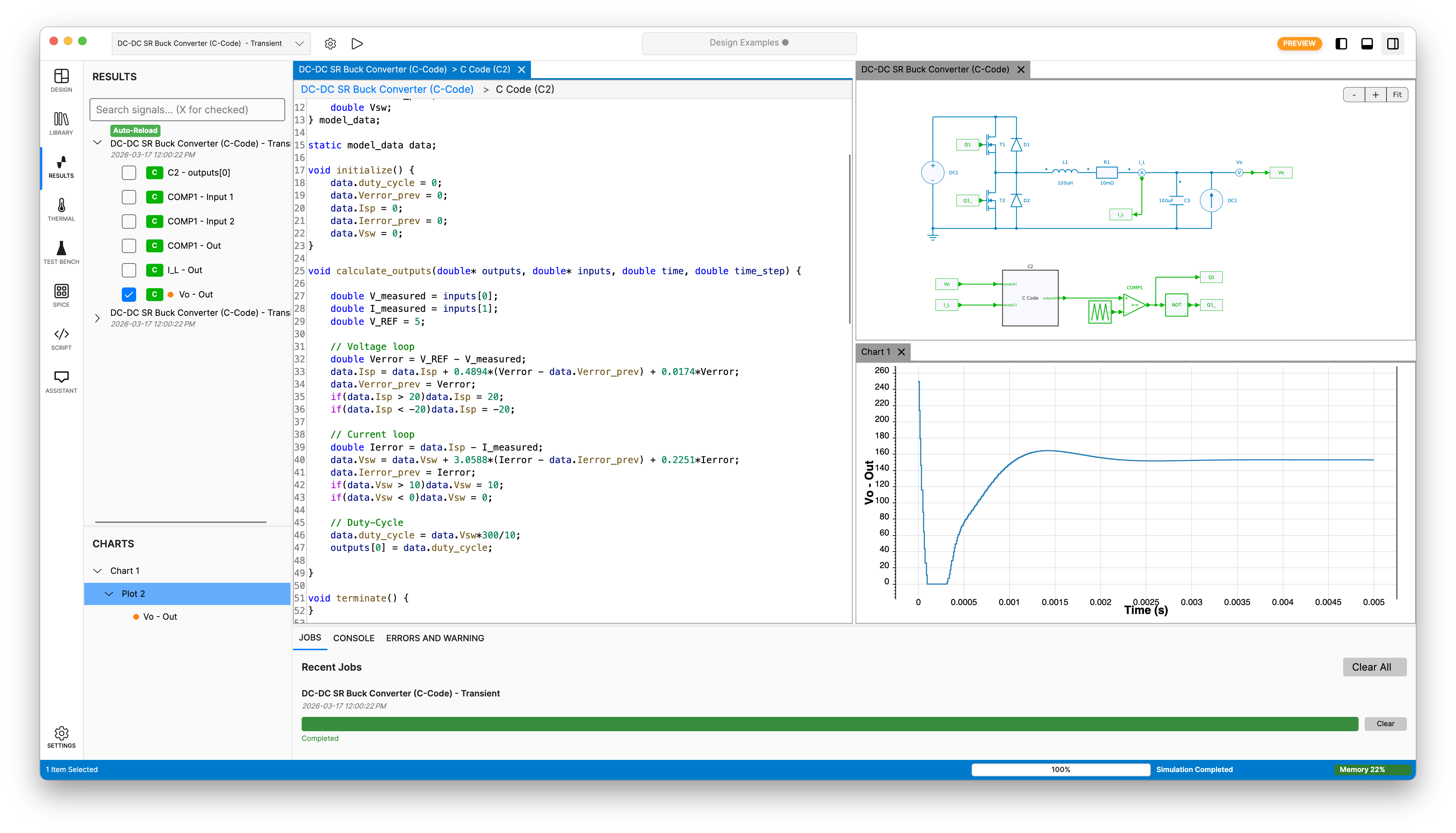
Build control logic directly in SIMBA with the embedded C code block and editor, then run it in the same simulation as your power electronics system.

Debug C control code in the simulation loop, or validate code generated in third-party platforms when it is delivered as C/C++ sources or as a compiled DLL.

This makes it possible to move from control design to implementation-oriented verification without leaving the SIMBA environment.

SIMBA embedded C code editor used for control development and debugging

SIMBA's embedded C Code Editor

JMAG Direct Coupling

FEA-grade electromagnetics.
Circuit-level control.
One run.

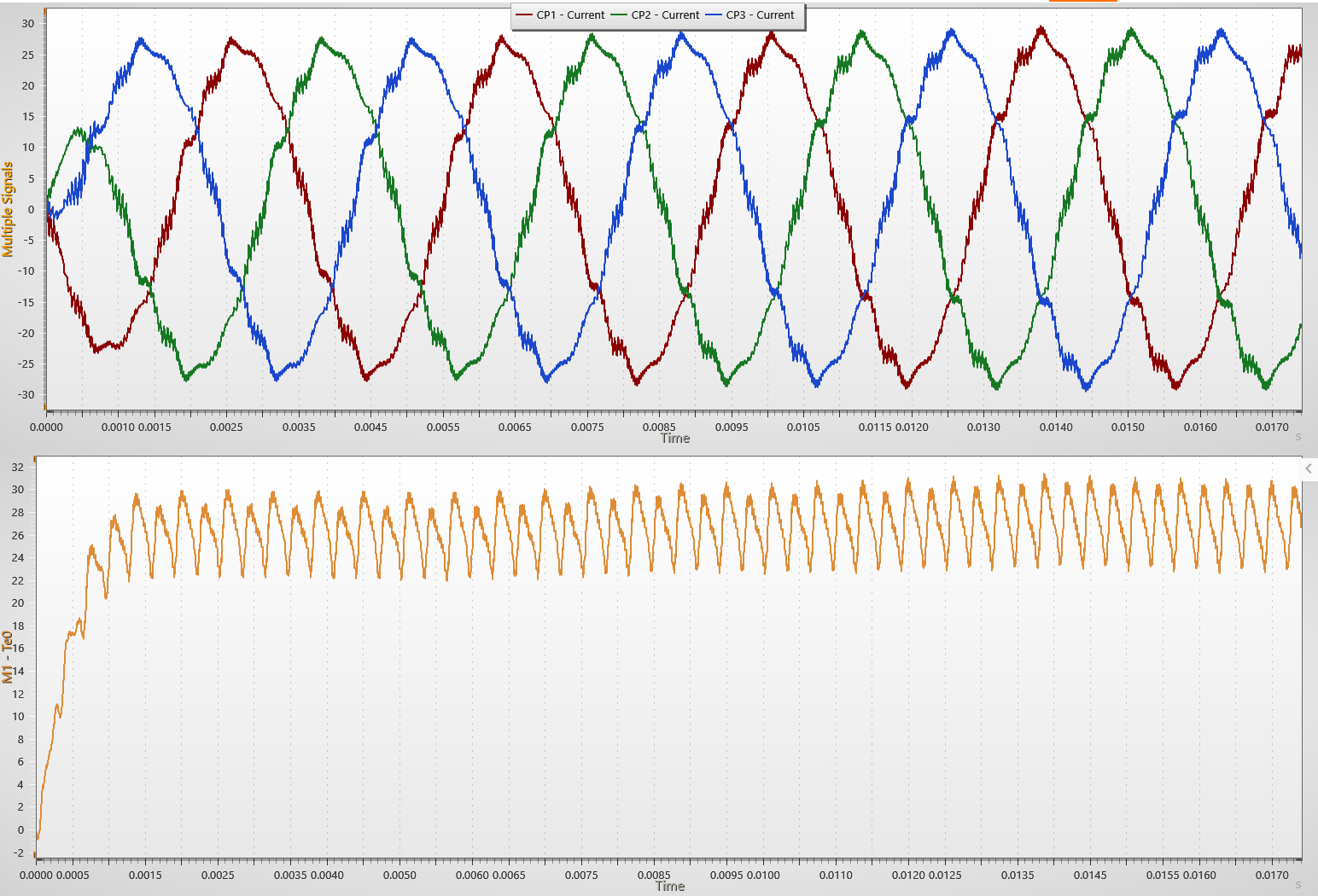
The JMAG Direct Coupling block embeds a full finite element motor model directly in the SIMBA simulation loop. At each time step, SIMBA sends voltages to JMAG, receives back currents and torque computed from the full FEA field solution, and advances the circuit simulation with real electromagnetic data, including saturation, slotting effects, and PWM-induced current distortion that simplified models cannot capture.

SIMBA simultaneously handles the power electronics, control, thermal behavior, and the rest of the circuit-level simulation around the magnetic model.

A proprietary sub-cycling algorithm improves performance while preserving tight coupling between the electromagnetic model and the circuit simulation.

JMAG and SIMBA co-simulation results showing three-phase currents and electromagnetic torque

Three-phase currents (top) and electromagnetic torque (bottom) from JMAG FEA, with PWM ripple and slotting effects visible.

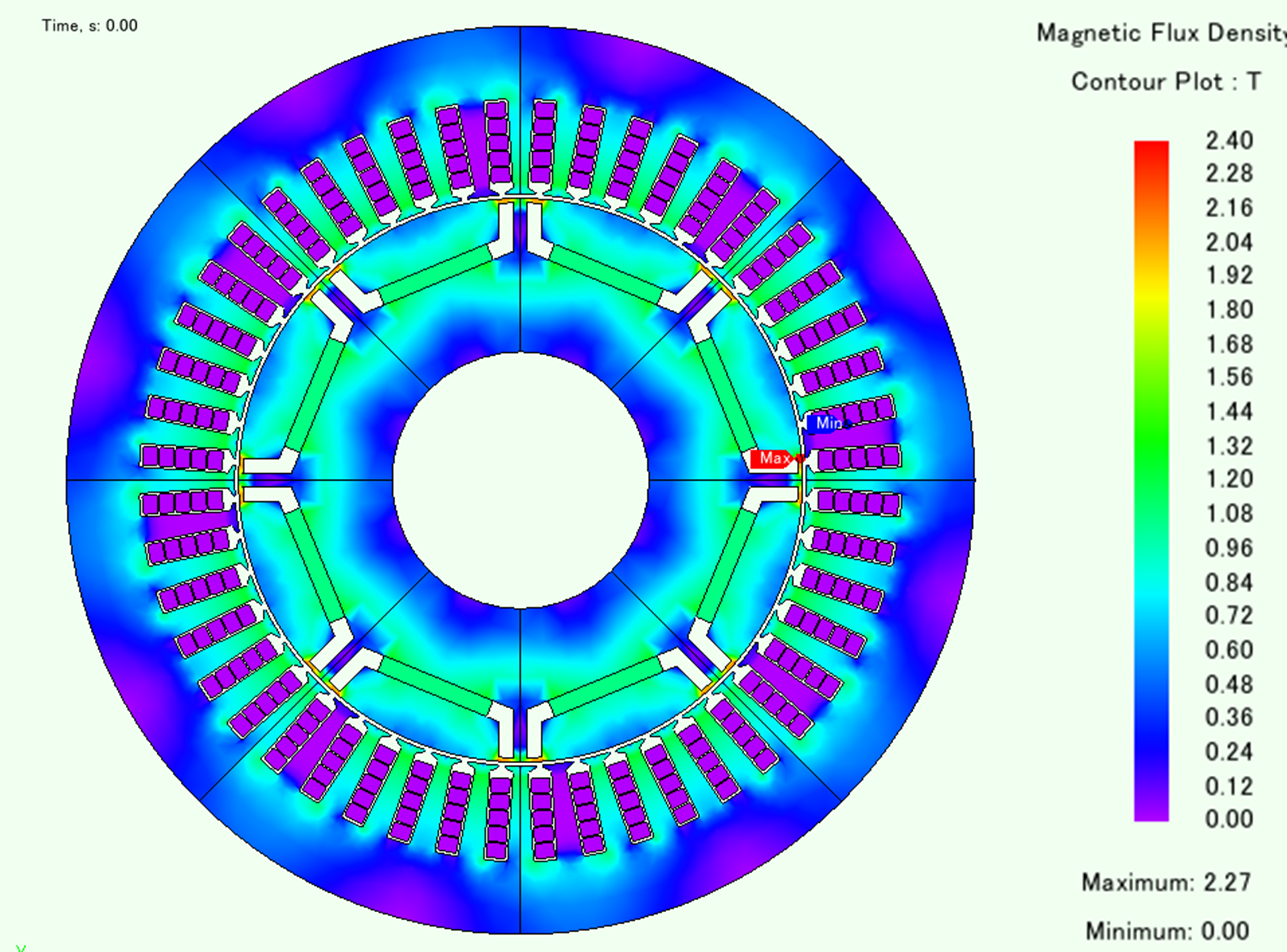
JMAG FEA magnetic flux density distribution
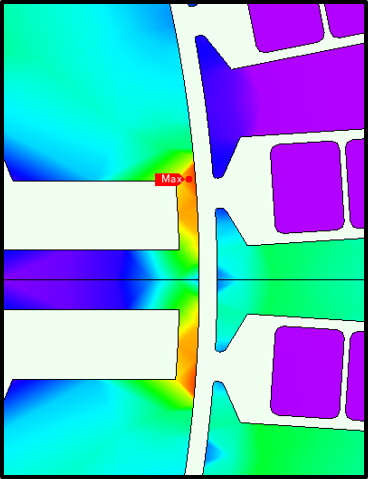
JMAG FEA zoom on magnetic flux density hot spot

Magnetic flux density across the geometry at a specific time step, with a hot spot visible near the tooth tips on the right.

Next step

Show us your toolchain and we will map the right integration path

Whether the priority is Python automation, JMAG and JMAG-RT coupling, or FMI 3.0 export, we start from your existing process and show where SIMBA fits.